
Detects
Reads door and window instances and lets the user choose the numbering parameter used in the deliverable.
Coordinated door and window documentation built from real model information.
EasyOpeningSchedule reduces repetitive work involved in organizing door and window legends, schedules and sheets in Autodesk Revit.
Back to JQ-BIM
Detects doors and windows, groups repeated types and generates legends, dimensions, schedules and continuation sheets without losing the link to model parameters.
Reads door and window instances and lets the user choose the numbering parameter used in the deliverable.
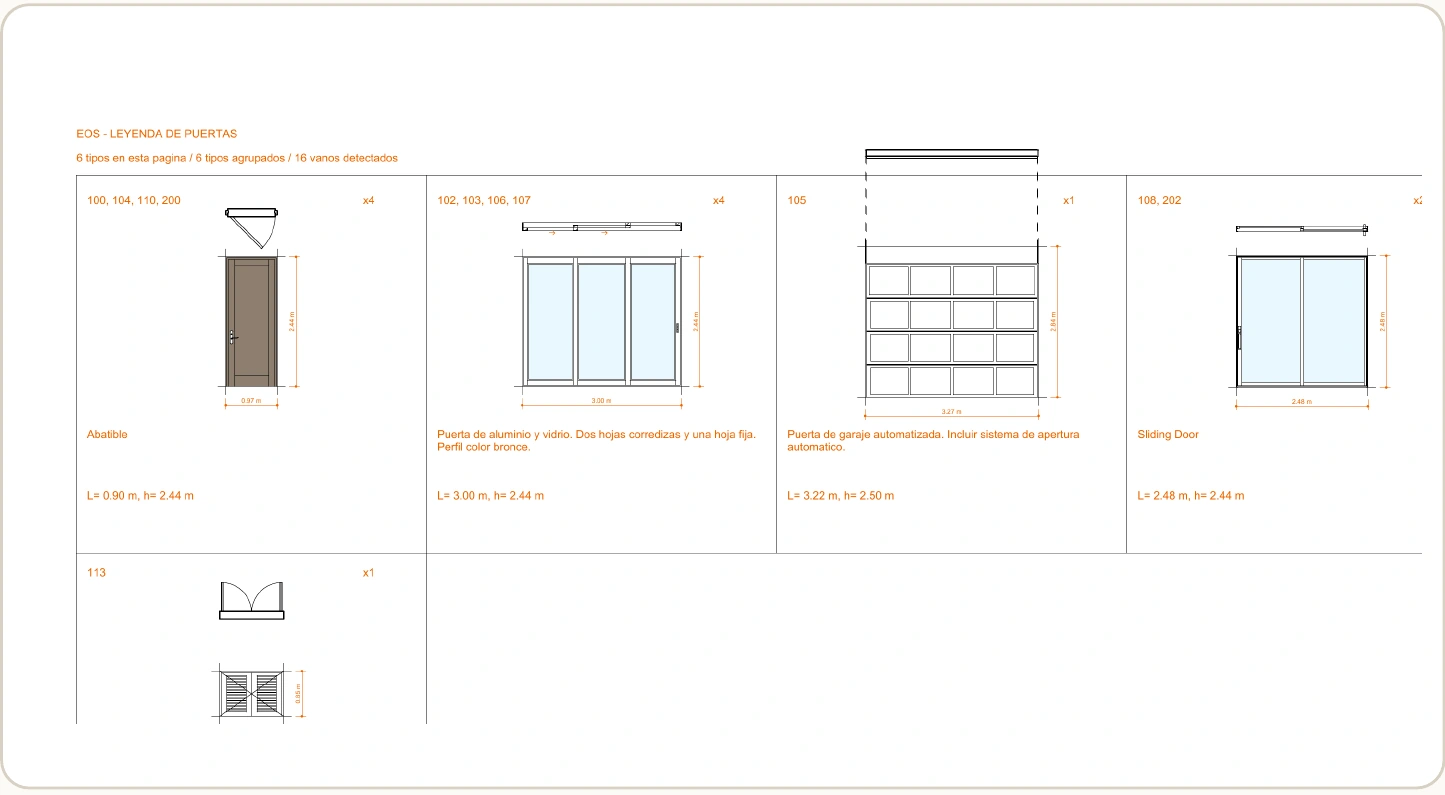
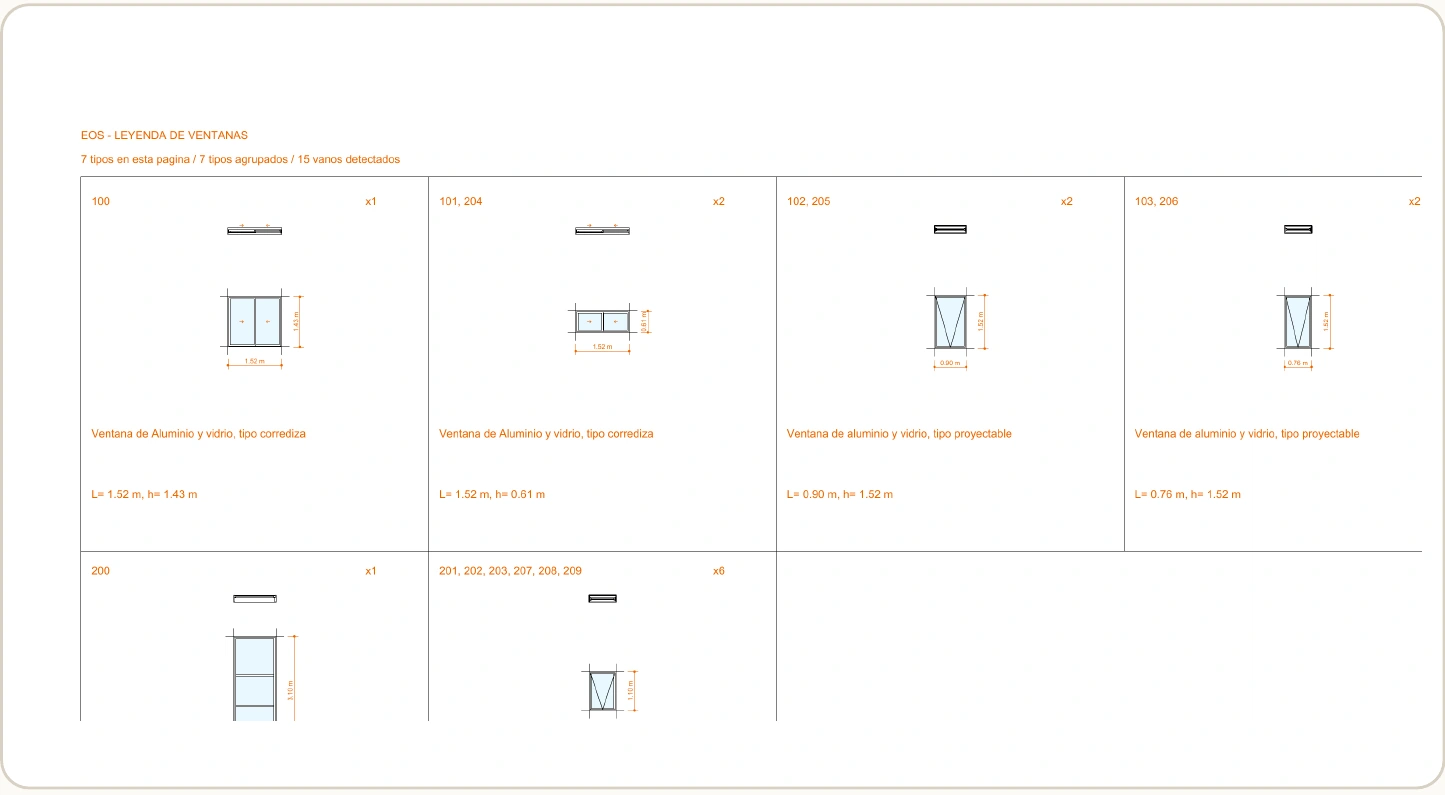
Combines repeated types, keeps different sizes separate and shows associated numbers and quantities per group.
Generates plans, elevations, dimensions, descriptions, separate schedules and optional sheet placement.
Reuses the last project configuration and the existing EOS views and schedules.
Four steps to generate the first documentation set and keep a repeatable workflow after model changes.
Use a Revit 2026 or Revit 2027 project with placed door and/or window families.
On the ribbon: JQ-BIM > EasyOpening > Generate legend.
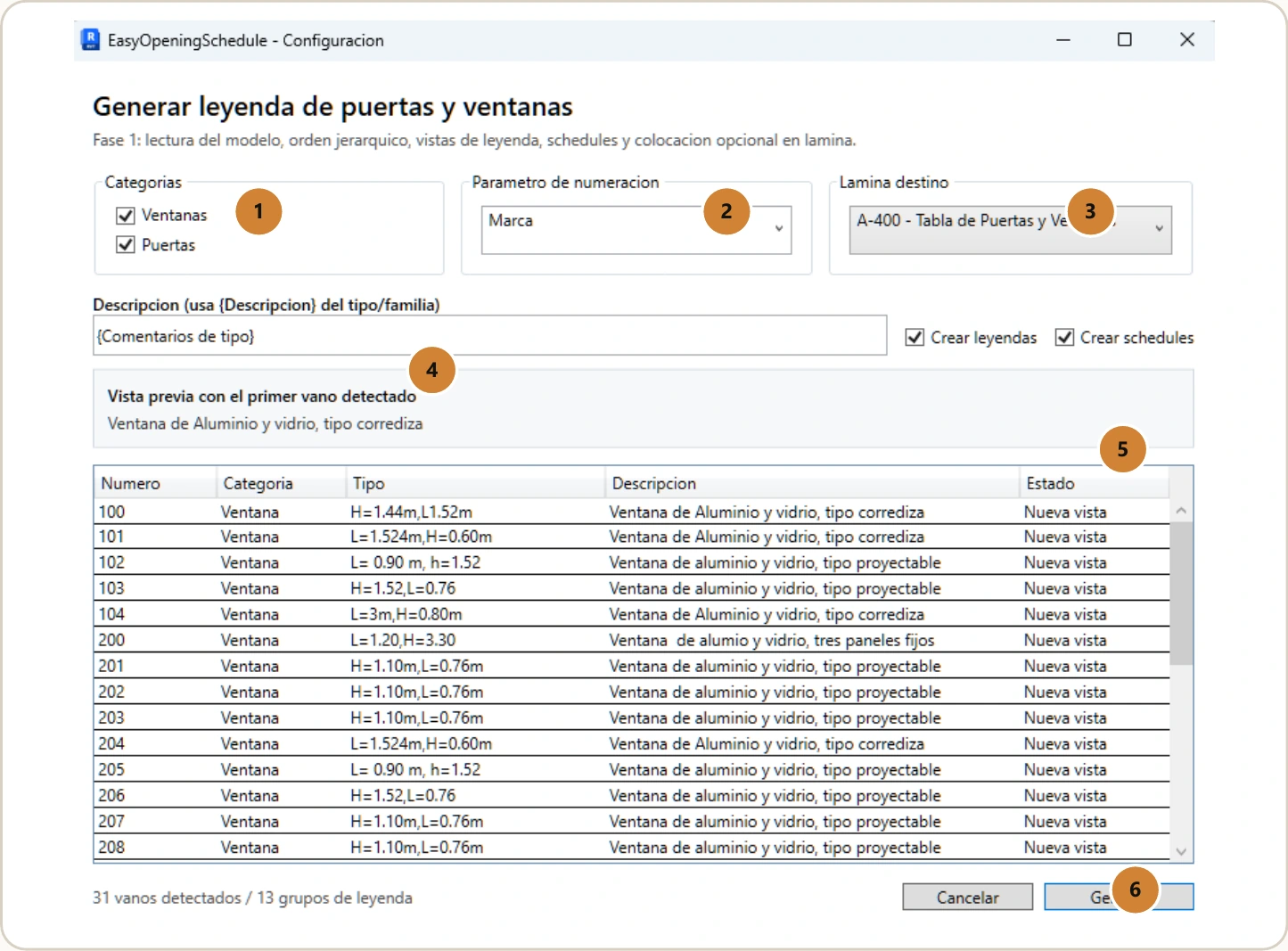
Select categories, numbering, destination sheet and the outputs to create.
Check the preview and create or reuse EOS legends, schedules and sheets.
To update, run Update legend: the add-in reuses the last configuration saved for the project.
The configuration, door and window legends and final summary show the add-in working in Revit.
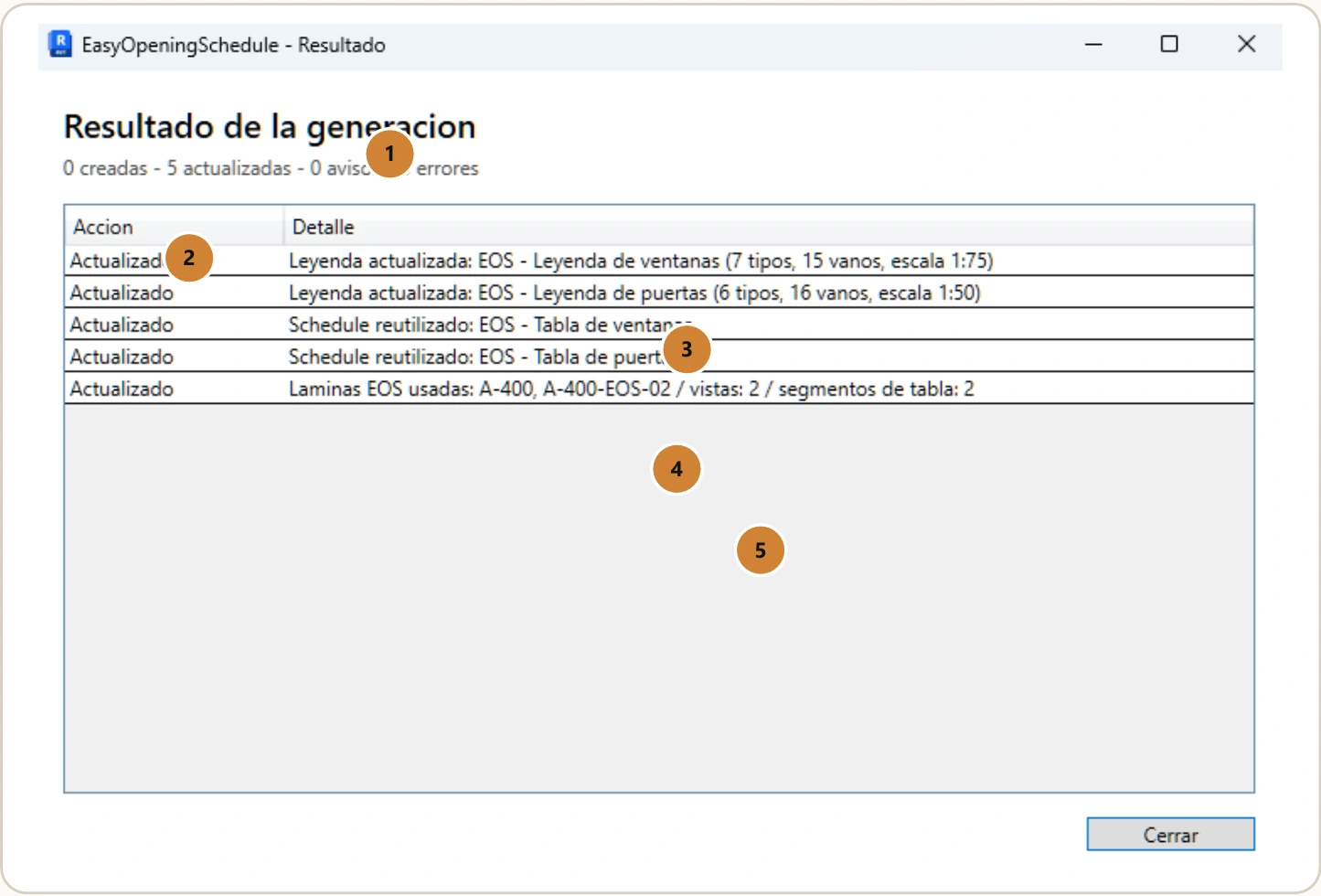
A short routine to keep sheets synchronized and review documentation before issue.
Run the add-in with the last saved configuration and reuse existing EOS views.
Check quantities, marks, descriptions and dimensions before issuing documentation.
If information is missing, edit family or instance parameters and update again.
Place legends and schedules on the selected sheet or use the generated continuation pages.
Complete marks · Correct types · Reviewed dimensions · Legible descriptions · Verified sheet and scale
Version 1.0 is prepared for Autodesk Marketplace. The installer, uninstall flow, help, screenshots, support and local data handling have been verified for Revit 2026 and 2027.